

Full Scratch 3.0 Games & Animation : Beginner to Advanced
Learn the basics of coding by creating their own games, animations, & interactive stories using block-based programming
Payal Aggarwal
Subject Matter Expert, Academic Instructor & Entrepreneur
Here’s what you will learn?
- Learners will gain an understanding of key programming concepts such as loops, conditionals, and variables, and apply them using Scratch’s visual block-based interface.
- Students will use Scratch to combine logic, events, and media to build their own fun and interactive stories, animations, and games.
- Develop problem-solving and debugging skills by analyzing code behavior and using computational thinking to improve project functionality.
- Develop complex projects using custom blocks, lists, cloning, and broadcasting to demonstrate mastery of modular, reusable, and advanced Scratch code structures
This Course Includes
- Recorded Lessons: 20
- Recorded Hours: 5hr 28min
- Certificate of completion
- Access on Mobile
Course Description
Full Scratch 3.0 Games & Animation : Beginner to Advanced
Unlock the world of coding with our Complete Scratch 3.0 Programming Course!
Whether you’re a curious beginner or an aspiring game developer, this course will take you on a fun, engaging, and practical journey into programming.
Using Scratch 3.0, MIT’s visual block-based language, you’ll learn how to create interactive stories, animations, and games while mastering the fundamental concepts of computer science—all without needing any prior coding experience.
What Makes This Course Different?
Step-by-step demonstrations for every concept
Interactive quizzes (MCQs) after each section to test your knowledge
A clear, structured progression from Beginner to Advanced
Real-world projects that make learning exciting and practical
What You’ll Learn
Beginner Level – Build the Foundation
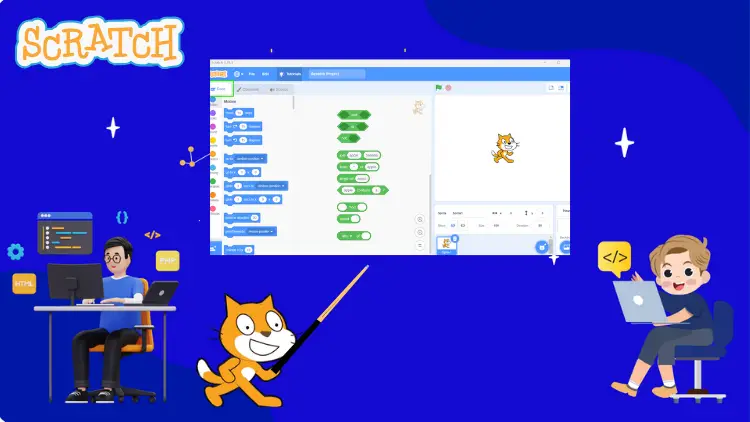
Navigate the Scratch interface with ease
Explore all block categories: Motion, Looks, Sound, Events, Control, Sensing, Operators, Variables, My Blocks
Create your first animations and interactive stories
Use loops, events, and conditions to build simple projects
Intermediate Level – Apply & Expand
Develop mini-games and interactive quizzes
Work with variables, scoring systems, and timers
Understand cloning and broadcast messaging
Build exciting real-world applications: calculators, paint apps, pianos, language translators
Strengthen problem-solving with debugging techniques and coding challenges
Advanced Level – Master Scratch Coding
Design multi-level games with advanced logic
Create and use custom blocks (functions) for efficiency
Apply nested loops, multiple conditions, and operators in complex projects
Build real-world projects: timers, racing games, and simulators
Learn game design principles—physics, scoring, levels, and user interactions
Unleash creativity with original animations, interactive stories, and advanced games
By the End of This Course, You Will:
Confidently code and design your own games and applications in Scratch
Master key programming concepts (loops, conditionals, variables, functions, events)
Develop problem-solving and logical thinking skills through hands-on practice
Be prepared to transition into real-world coding languages (Python, JavaScript, etc.)
Most importantly—have fun while coding
No prior experience is required—just a computer, internet access, and curiosity.
Join now and start your journey from beginner to advanced Scratch coder!
Course Content
20 Lessons | 5hr 28min
By the end of this section, students will be able to navigate the Scratch interface, understand key components, use coding blocks, and start creating basic animations or interactive projects.
Motion Block Palette - allowing sprites to move, rotate, or change position.
Looks Block Palette - how a sprite looks, talks, shows, hides, costume etc.
Sound Block Palette in Scratch - Make their games, animations, and stories more
Event Block Palette in Scratch - to start scripts, respond to clicks & many more
Control Block Palette - Event handling like “if,” “repeat,” and “forever” blocks
Sensing Block Palette - detect interactions like touching object, mouse position
Operator Block Palette - Math operations, comparisons, logic (and, or, not) etc.
Variables Block Palette to store data, track scores, control movement &many more
My Blocks Block Palette - create custom blocks, organize code, reduce repetition
Eat yummy Tacos game using scoring and lives system with applying sensing system
Draw different mathematical shape using pen extension and control blocks
Touch the blue ball game - to understand the use of sensing block and broadcast
Create your own virtual Piano by using music extension
Make your own Simple calculator using multiple mathematical command blocks
Eat yummy Tacos game using scoring and lives system with applying sensing system
Your Own language Translator - Using extensions - text to speech , translator
The Thirsty Crow story - By using own sound, background scrolling & animations
Car Racing Game part 1 using scoring , levels , graphics and animations
Car Racing Game part 2 using scoring , levels , graphics and animations
About the instructor

Payal Aggarwal
Subject Matter Expert, Academic Instructor & Entrepreneur
Frequently Asked Questions
₹1000 ₹2000
Subscribe to Programming & Coding Pack
Get this course along with 17+ courses.